

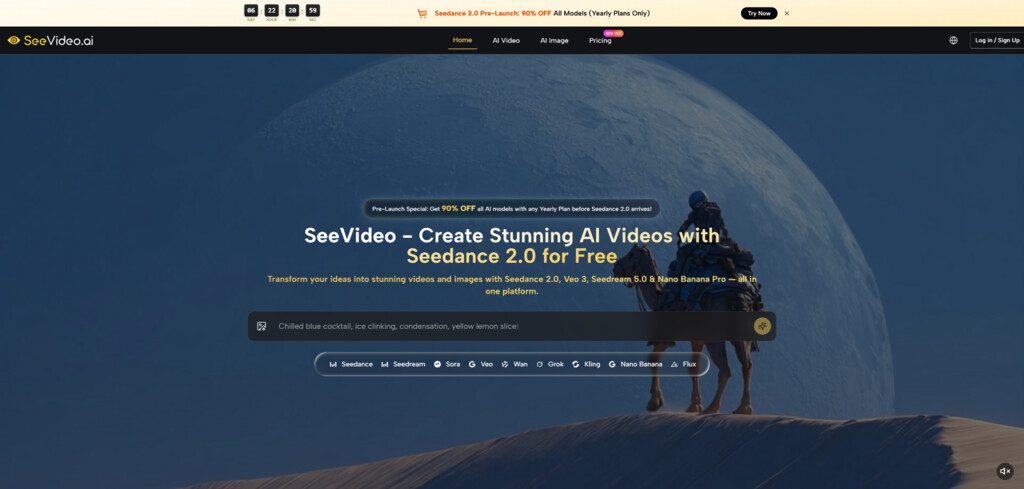
When video ideas move faster than production schedules, the real problem is rarely imagination. It is the gap between having a direction in mind and seeing whether that direction can actually hold attention once it starts moving. That is why Seedance 2.0 feels useful inside SeeVideo. It gives creators a way to test motion, transitions, and visual rhythm before a project becomes expensive, slow, or overcommitted.
What makes this especially relevant now is how many people are expected to produce video without working like a traditional studio. A solo creator may need campaign visuals, product clips, and short social edits in the same week. A small team may need to evaluate multiple creative directions without spending days on preproduction. In that context, a free starting workflow matters because it lowers the cost of exploration. It lets people learn what kind of scene works before they decide what deserves more effort.
Why Free Access Changes Creative Behavior First
Free access is often discussed as a pricing issue, but in practice it is a behavior issue. When people can test ideas without feeling that every try must be perfect, they become more willing to experiment with pacing, framing, and scene logic. That experimentation is important in AI video because the first generation is often informative, not final.
With SeeVideo, the value of a free entry point is not only that users can generate something without immediate pressure. It is that they can begin to understand how a modern AI video workflow actually behaves. Instead of treating generation as a mysterious black box, they can see how prompt wording, visual inputs, and model selection shape the result.
Low Friction Encourages Better Creative Judgment
In my observation, creators make better decisions when they can test several paths early. A free workflow helps because it removes the tendency to overprotect the first concept. Users can try a more cinematic direction, a more product-focused direction, or a simpler short-form idea without feeling locked into one attempt.
That matters because creative work improves when comparison becomes normal. Often the strongest idea is not the first one imagined. It is the one that survives visible comparison.
The Platform Supports Different Starting Points
One reason this matters on Seedance 2.0 AI Video is that the platform does not force everyone into the same input style. Its official material presents text-to-video and image-to-video as core workflows, while its main video system also supports audio input. That means users can start with a scene description, a still image, or a sound-led concept depending on what they already have.
For beginners, this makes the platform easier to approach. For experienced users, it makes the system more flexible. Not everyone thinks visually in the same way, and a good free workflow should respect that.
What Makes The Core Workflow Practical
A lot of video tools are easy to demo but harder to use repeatedly. They can make one striking clip, yet they do not always help a creator build a repeatable process. What SeeVideo appears to emphasize is not only one-off generation, but a broader structure where a user can choose a model, generate a result, compare versions, and refine.
That practical structure is what makes the main video workflow interesting. It is not simply about motion. It is about making motion easier to evaluate.
Multi Scene Generation Matters More Than Hype
The official pages repeatedly highlight multi-scene generation. That detail matters because many AI videos look impressive in one frame but weaker when a concept needs progression. A product reveal, a brand visual, or a short narrative clip usually needs more than movement inside a single shot. It needs sequence.
A multi-scene system is useful because it brings AI video closer to actual storytelling logic. Even when the output is short, connected scenes create a stronger sense of intention. In my reading, that is one of the platform’s clearest practical strengths.
Model Choice Reduces Creative Mismatch
SeeVideo is also structured around more than one model. The core engine is presented as the default starting point for most projects, while other models are positioned for needs such as photorealistic footage, more cinematic storytelling, artistic styles, or faster draft generation.
That model variety is not just a feature list. It solves a real problem: not every creative goal should be forced through the same engine. A social ad and a cinematic teaser should not be evaluated by exactly the same standard. A good workflow allows users to switch when the visual objective changes.
Comparison Becomes Part Of The Process
The platform’s positioning makes comparison feel natural rather than optional. That matters because the strongest use of AI video is often not instant publishing. It is faster decision-making. Once users can see multiple plausible versions, they are in a much stronger position to judge tone, realism, and movement.
How A Free User Can Actually Use It
The official workflow is short enough that most people can start without technical setup. That is part of what makes it easy to understand.
Step One Define The Scene Clearly
Start with either a written prompt or an image. The goal here is not to write something abstract. It is to describe a scene, motion, mood, or transformation clearly enough that the system has usable direction.
Step Two Choose The Right Model For The Goal
After that, select the model. The platform suggests starting with the main engine for most projects, then moving to other options if realism, cinematic structure, artistic styling, or faster single-scene drafting becomes more important.
Step Three Generate The First Version
Once the input and model are set, the system produces a video output. The official FAQ suggests that generation time usually falls within a short range depending on scene count and complexity, which helps keep experimentation practical.
Step Four Refine Instead Of Settling Too Early
If the first version does not feel right, regenerate. Adjust the prompt, switch the model, or change the scene idea. This is a more realistic workflow than expecting a perfect first pass.
Why This Fits Short Form Content So Well
One of the clearest use cases for a free workflow is short-form content production. Social media does not always reward perfection. Very often it rewards timing, clarity, and visual momentum. That makes fast generation and fast testing more valuable than elaborate production in the earliest phase.
Speed Helps Trend Response
A creator responding to a trend often does not have time for a long creative cycle. The platform’s short generation window and simple workflow make it easier to move from idea to visible concept while the topic still feels current.
Testing Tone Becomes Less Expensive
A second benefit is tonal testing. Some ideas read well in text but feel wrong in motion. Others feel too flat until movement is added. A free starting workflow lets creators test emotional tone earlier, which can prevent wasted effort later.
How This Approach Compares To Older Habits
A useful way to understand the platform is to compare it with traditional bottlenecks rather than with abstract promises.
| Creative Question | Older Workflow Problem | Free Workflow Advantage |
| Is this concept worth pursuing | Requires more planning before seeing motion | Lets users preview ideas earlier |
| Which visual style works best | Often decided through debate alone | Makes comparison visible |
| How fast can we test versions | Revision can be slow and expensive | Multiple attempts feel more practical |
| Do scenes connect well enough | Single-shot demos reveal little | Multi-scene generation gives more structure |
| Can beginners start easily | Tools may assume editing experience | Text or image input lowers the barrier |
What Users Should Keep In Mind
A free workflow is useful, but it still works best when expectations are grounded. Better inputs usually lead to better outputs. Stronger scene descriptions often produce clearer motion. And not every idea lands on the first try.
Prompting Still Matters A Lot
The platform includes example prompts for a reason. Users who describe subject, action, setting, and mood more clearly usually get more coherent results. Vague prompting tends to create vague output.
Free Use Is Best For Learning And Direction
In my view, the most valuable role of a free workflow is not that it replaces every polished production need. It is that it helps users discover what kind of direction deserves more refinement. That is already a meaningful gain.
Iteration Is Part Of The Strength
It is actually a positive sign that the platform openly supports regeneration and comparison. That honesty makes the workflow feel more credible. Serious creative work is rarely one click. It is usually a loop of testing, judging, and adjusting.
Why This Kind Of Free Workflow Matters Now
The strongest thing about this approach is not that it makes video free in a simplistic sense. It is that it makes exploration cheaper, faster, and easier to judge. For many creators, that is the real unlock. They do not need a perfect system first. They need a practical system that helps them see what is worth building next.
From that perspective, the best free use of the platform is not about squeezing out one flashy output. It is about using a lightweight entry point to think more clearly through motion. And for modern content work, that may be more valuable than a long list of features that never make the creative decision easier.




