
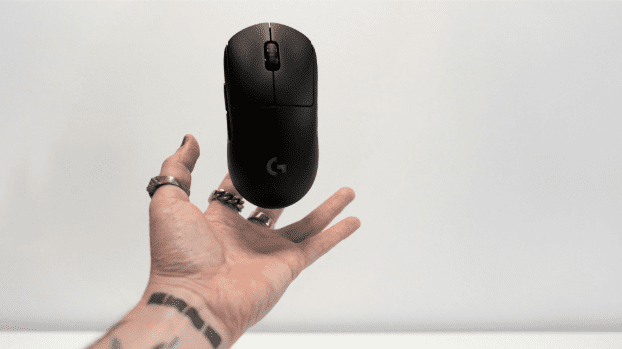
You’re deep into a competitive match, your team is counting on you, and suddenly your hand cramps up from gripping a heavy mouse for hours. Or maybe you’ve noticed that split-second delay between your flick and the cursor’s response—just enough to cost you the kill.
These frustrations are all too familiar for gamers who spend extended sessions at their desks, and they stem from outdated equipment that hasn’t kept pace with modern gameplay demands. A wireless lightweight mouse offers a transformative solution, eliminating the drag of cables while reducing the physical toll on your wrist and forearm. With enhanced comfort for marathon sessions, ultra-responsive sensors, and customizable buttons that put complex commands at your fingertips, these mice are designed to elevate every aspect of your gameplay.
This article will guide you through understanding what makes a wireless lightweight mouse essential, how to select the right one for your play style, and practical ways to optimize your setup for peak performance and long-term hand health.
The Evolution of Gaming Mice: Why Wireless and Lightweight Matter
Gaming mice have undergone a remarkable transformation over the past two decades. Early models were bulky, wired peripherals that prioritized durability over agility, often weighing well over 120 grams and tethering players to their desks with stiff cables that created drag across mousepads. As competitive gaming grew, manufacturers recognized that these designs were actively hindering performance.
The shift toward wireless technology eliminated cable resistance entirely, giving players unrestricted freedom of movement and cleaner desk setups without sacrificing the responsiveness that wired connections once guaranteed. Modern wireless protocols now deliver signal speeds virtually indistinguishable from their wired counterparts, making the transition seamless. Simultaneously, engineers began stripping unnecessary weight from mouse shells, using advanced materials like honeycomb structures and ultra-thin polymers to push weights below 60 grams.
This reduction in mass translates directly to faster flick shots, smoother tracking, and less momentum fighting against micro-adjustments during intense gameplay. For both casual players enjoying weekend sessions and enthusiastic gamers grinding ranked ladders, the combination of wireless freedom and featherlight construction means less physical effort per movement, quicker reaction times, and a noticeable edge that compounds over hours of play. The evolution isn’t just about technology—it’s about removing barriers between intention and action.
Essential Features of the Best Lightweight Mouse for Gaming
When shopping for the best lightweight mouse, understanding the threshold that separates genuinely light designs from marketing fluff is crucial. Generally, mice weighing under 80 grams qualify as lightweight, while elite options dip below 60 grams—some even reaching the sub-50 gram territory. But weight alone doesn’t make a great gaming mouse; it’s the combination of featherlight construction with performance-critical features that separates exceptional options from mediocre ones.
Wireless connectivity should deliver latency under one millisecond through dedicated 2.4GHz dongles, ensuring your inputs register instantaneously during heated firefights. Battery life matters equally—look for models offering 70 hours or more on a single charge, so you’re never caught mid-match scrambling for a cable. High-precision sensors capable of tracking at speeds exceeding 400 inches per second with zero smoothing or acceleration ensure that your physical movements translate faithfully to on-screen action, regardless of how fast you swipe.
Durable build quality rounds out the essentials: primary switches rated for tens of millions of clicks, reinforced scroll wheels, and PTFE feet that glide effortlessly across any surface. The best lightweight mouse combines all these attributes without compromise, delivering professional-grade performance in a package that feels almost weightless in your hand.
Wireless Technology: Balancing Performance and Reliability
Two primary wireless protocols dominate gaming mice: 2.4GHz RF and Bluetooth. For competitive gaming, RF wins decisively—it provides a dedicated, interference-resistant connection with polling rates up to 4000Hz on premium models, meaning the mouse reports its position to your PC thousands of times per second. Bluetooth, while useful for travel or casual browsing, introduces slightly higher latency and occasional connection hiccups that competitive players cannot afford. Many modern mice include both options, letting you switch between RF for gaming and Bluetooth for productivity on secondary devices.
To manage battery life effectively, consider enabling sleep modes for brief idle periods, keeping a charging cable nearby for top-ups between sessions, and lowering your polling rate to 1000Hz when the difference won’t impact your gameplay. Positioning your wireless receiver close to your mouse—ideally using a dongle extender on your desk rather than plugging directly into a rear USB port—minimizes signal travel distance and maximizes connection stability.
Sensor Accuracy and Responsiveness
DPI, or dots per inch, determines how far your cursor travels relative to physical mouse movement. Most competitive players settle between 400 and 1600 DPI, using lower values for precise aiming and higher settings for fast-paced navigation.
However, raw DPI matters less than sensor consistency—a quality sensor tracks identically whether you’re moving slowly or whipping across your pad at maximum speed. Polling rate defines how frequently your mouse communicates its position; 1000Hz (once per millisecond) remains the standard for responsive gameplay, though newer sensors pushing 4000Hz offer marginally smoother tracking that benefits high-refresh-rate monitor users.
Look for sensors with minimal lift-off distance, meaning tracking stops immediately when you raise the mouse to reposition—a critical feature for low-sensitivity players who frequently pick up and reset their mouse during sweeping movements.
Maximizing Comfort for Extended Gaming Sessions
Comfort isn’t a luxury for gamers—it’s a performance variable that directly impacts your consistency over time. During a four-hour ranked session or a weekend tournament, even minor discomfort compounds into distraction, slower reactions, and potential repetitive strain injuries that can sideline you for weeks. A wireless lightweight mouse addresses the most fundamental comfort concern by reducing the effort required for every single movement, but the best setups go further by matching ergonomic design to your unique hand anatomy and play habits.
Ergonomic Designs Tailored for Gamers
Your grip style determines which mouse shape will feel natural after hours of use. Palm grip players, who rest their entire hand flat against the mouse, benefit from larger shells with pronounced rear humps that support the arch of the hand and prevent the fingers from curling unnaturally.
Claw grip users need a shorter body with a more aggressive curve, allowing the fingertips and palm base to anchor while the knuckles arch upward for quick clicking. Fingertip grip players require the smallest, lightest mice possible since only their fingertips make contact—any excess length or width becomes dead weight that fights against their precise micro-movements. Beyond grip style, hand size matters enormously.
A mouse that’s too narrow forces your pinky and ring finger to drag along the mousepad, while one that’s too wide splays your fingers apart and strains the tendons across the back of your hand. Measure your hand from wrist crease to middle fingertip and across the knuckles, then cross-reference these dimensions with manufacturer specifications before committing to a shape.
Materials and Build for Enhanced Grip
The exterior coating of your mouse determines how securely you maintain control during intense moments when adrenaline triggers sweaty palms. Matte finishes offer consistent grip regardless of moisture levels, while glossy shells become slippery when wet but feel smoother during dry conditions. Many manufacturers now apply textured side grips made from rubberized compounds or silicone that channel moisture away from contact points, giving you confident hold during clutch situations without requiring excessive grip pressure.
The shell material itself contributes to both weight and tactile feel—thin ABS plastic keeps mass low while maintaining structural rigidity, and some brands like MAMBASNAKE offer grip tape accessories and honeycomb shell designs that add personalized texture zones exactly where your fingers rest. Breathability also plays a role; honeycomb shell designs that reduce weight simultaneously allow airflow to reach your palm, keeping your hand cooler and drier throughout extended sessions.
Practical Tips to Prevent Fatigue
Equipment alone cannot prevent fatigue if your habits work against you. Set a timer to take a two-minute break every 45 to 60 minutes—stand up, shake out your hands, and rotate your wrists gently in both directions to restore circulation. Your desk setup matters as much as your mouse: position your elbow at roughly 90 degrees with your forearm parallel to the desk surface, ensuring your wrist remains neutral rather than bent upward or downward.
A thick, cushioned mousepad with a built-in wrist rest distributes pressure across a broader area of your forearm, reducing the pinch points that cause numbness during long sessions. Keep your mouse sensitivity high enough that you aren’t making sweeping arm movements constantly, but low enough that you maintain precision—finding this personal balance minimizes total physical effort. Finally, consider alternating between gaming and stretching exercises that target the forearm extensors and flexors, building the endurance your hands need to perform consistently without breaking down.
Unleashing Power with Customizable Buttons
Beyond raw performance specs, customizable buttons represent one of the most underutilized advantages of a modern wireless lightweight mouse. Every fraction of a second spent reaching for a keyboard shortcut is time your crosshair isn’t on target, and programmable side buttons eliminate that compromise entirely. Most gaming mice offer between two and eight additional buttons positioned where your thumb and ring finger naturally rest, transforming complex multi-key commands into single-click actions.
This isn’t just about convenience—it’s about compressing your decision-to-action pipeline so that the moment you decide to use an ability, throw a grenade, or switch weapons, it happens without your aiming hand ever leaving its optimal tracking position. Setting up these buttons effectively requires intentional planning rather than randomly assigning functions and hoping muscle memory develops on its own.
Programming Your Mouse for Different Games
Most manufacturers provide companion software that lets you create game-specific profiles, each with unique button assignments that activate automatically when you launch a particular title. Start by identifying the three to five actions you perform most frequently in each game that currently require awkward keyboard reaches or finger repositioning. Assign these to your mouse buttons in order of priority, placing the most critical functions on the easiest-to-reach buttons—typically the forward-facing thumb button gets your most urgent action.
Save each profile with a clear name, and use the software’s onboard memory feature if available, which stores configurations directly on the mouse so your settings travel with you to LAN events or different PCs. For actions requiring precise timing sequences, program macros that execute multiple inputs with defined delays between them, ensuring complex combos fire consistently every time. Revisit your assignments after a week of play and adjust based on which bindings feel natural and which ones you keep forgetting exist.
Creative Applications in Popular Games
In MOBAs like League of Legends or Dota 2, binding item actives to mouse buttons means you can pop a crucial Zhonya’s or BKB without lifting fingers from your QWER ability keys, maintaining full spell readiness during teamfights. FPS players in Valorant or Counter-Strike benefit from assigning utility throws—smokes, flashes, molotovs—to thumb buttons, allowing them to deploy utility and instantly return to their primary weapon without scrolling or pressing number keys. Battle royale games reward players who bind inventory management or building commands to their mouse, since the speed difference between a keyboard wall-place and a thumb-click wall-place can determine whether you survive a surprise engagement.
MMO players can layer entire action bar rotations across extended button mice, executing optimal DPS sequences with rhythmic thumb presses rather than stretching across a full keyboard. The key principle across all genres remains consistent: any action that competes with your movement or aim keys for finger attention belongs on your mouse instead.
How to Choose Your Perfect Wireless Lightweight Mouse
Selecting the right wireless lightweight mouse comes down to honest self-assessment about how you play and what you prioritize. Start with your grip style and hand measurements—these non-negotiable physical factors immediately narrow your options to shapes that won’t cause discomfort regardless of how impressive other specs might be. Next, consider the genres you play most frequently. Twitchy FPS titles demand the lowest possible weight and highest polling rates, while MOBA and MMO players might sacrifice a few grams for additional programmable buttons that streamline their gameplay.
Your budget should reflect how seriously you game; casual players who enjoy a few hours weekly can find excellent options in the mid-range tier from reputable brands with proven wireless technology, while competitive grinders benefit from flagship models featuring cutting-edge sensors and premium materials. Brand reputation matters because it signals long-term software support, warranty reliability, and consistent quality control across production batches.
Read community reviews from players who share your grip style and game preferences rather than relying solely on spec sheets. Before purchasing, check whether the mouse offers onboard memory for profile storage, dual wireless connectivity modes, and readily available replacement feet and accessories. The perfect mouse isn’t the one with the highest specifications on paper—it’s the one that disappears in your hand and lets you focus entirely on the game.
Elevate Your Gameplay with the Right Mouse Setup
A wireless lightweight mouse isn’t just an upgrade—it’s a fundamental shift in how you interact with your games. By eliminating cable drag and reducing weight to barely noticeable levels, these mice remove the physical barriers that stand between your intentions and on-screen results. The comfort benefits compound over every session, keeping your hand fresh and your aim consistent whether you’re playing for one hour or six. Customizable buttons further streamline your gameplay by consolidating critical actions under your fingertips, reducing the cognitive and physical cost of executing complex commands under pressure.
Choosing the right mouse requires matching your grip style, hand size, and gaming preferences to a shape and feature set that feels intuitive from day one. Take the time to measure your hand, identify your grip, and prioritize the features that align with your most-played genres. Then commit to building healthy habits around your setup—proper posture, regular breaks, and intentional button configurations that evolve as your skills sharpen. Your next competitive edge isn’t locked behind countless hours of practice alone; sometimes it starts with the tool resting under your palm. Evaluate your current setup, apply the insights from this guide, and give yourself the hardware foundation your gameplay deserves.