

Beyond Cursive: How to Use a Calligraphy Font Generator for Bespoke Wedding Stationery
Planning a wedding in the modern era is a delicate balancing act between high-end aesthetics and strategic budgeting. For many couples and independent designers, the “Pinterest-perfect” wedding look often centers on one crucial element: exquisite calligraphy. However, the reality of hiring a professional calligrapher can be a significant financial burden, with individual hand-addressed envelopes and custom-designed menus costing thousands of dollars. This is where a professional calligraphy font generator bridges the gap between traditional craftsmanship and digital efficiency.
The Shift from Traditional Scribes to AI Customization
In the past, designers were limited to static font files—standard .ttf or .otf files that repeated the exact same character shape every time a letter was typed. This “robotic” consistency is the antithesis of true calligraphy, which thrives on the subtle imperfections, varying pressure, and fluid connections of a human hand.
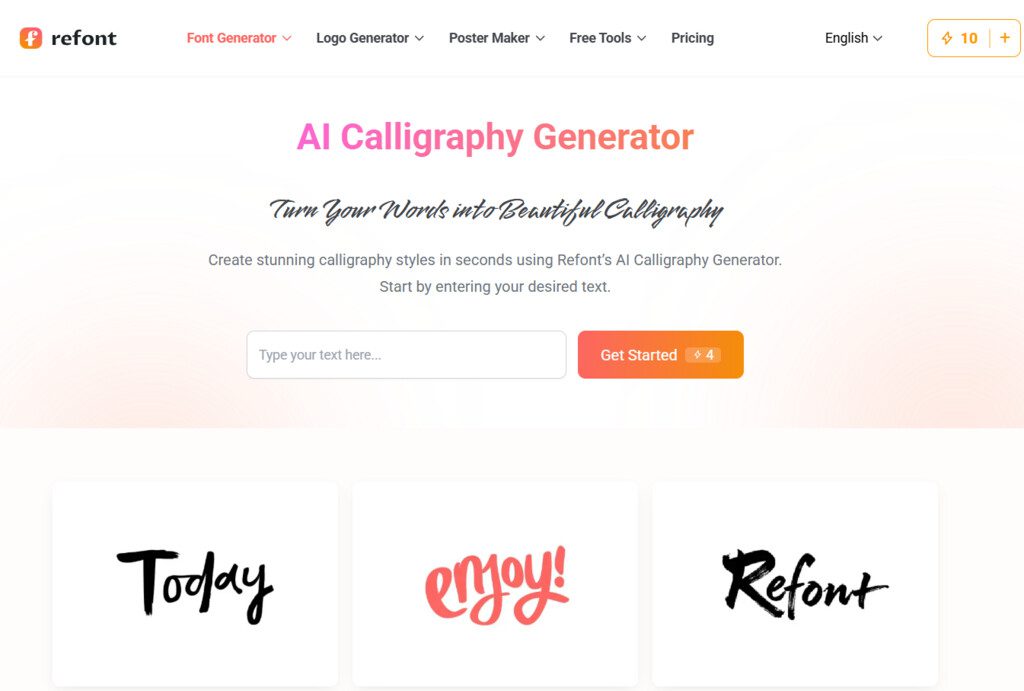
Today’s AI-driven technology has changed the landscape. A sophisticated calligraphy font generator no longer just “types” text; it simulates the organic flow of ink on paper. For a bride-to-be or a boutique designer working on a client’s bespoke suite, this tool provides the “hand-painted” warmth that was previously only available through hours of manual labor. It addresses the primary pain point of modern wedding stationery: the need for a high-touch, personalized feel without the exorbitant price tag or the weeks-long lead time required by manual scribes.
Solving the “Static Font” Problem in Wedding Design
One of the biggest complaints from professional wedding planners is that free script fonts often look “cheap” or overused. When every DIY wedding invitation uses the same three fonts found on popular design marketplaces, the sense of exclusivity is lost.
By using a calligraphy font generator, you gain access to dynamic styles that feel alive. For instance, when designing place cards for a hundred different guests, you need a tool that can handle diverse names—from short, punchy monograms to long, flowing surnames—while maintaining visual balance. The AI algorithms behind these generators ensure that the ligatures (the connections between letters) look natural, preventing the awkward gaps or disjointed strokes common in standard digital typography.
Step-by-Step: Designing Your Bespoke Suite
To create a truly cohesive wedding brand, you must think beyond the invitation itself. A comprehensive stationery suite typically includes:
- Save the Date Cards: Your first chance to set the tone.
- The Main Invitation: The centerpiece of your design.
- RSVP and Detail Cards: Functional pieces that still need to look elegant.
- Day-of Stationery: Menus, programs, and place cards.
Using a calligraphy font generator allows you to maintain a consistent “handwriting” across all these touchpoints. You can generate specific headings in a flourish-heavy, dramatic script, while keeping the body text in a cleaner, more legible version of the same style. This ensures that even the most information-dense parts of your invitation—like the venue address or the wedding website URL—remain beautiful without sacrificing readability.
The Importance of “Irregular Beauty”
The magic of calligraphy lies in its “imperfections.” True penmanship has slight variations in x-height, stroke thickness, and baseline alignment. When you use an AI-powered generator, you are seeking that “hand-painted” temperature. Modern couples are moving away from the rigid, formal scripts of the early 2000s in favor of “Organic Minimalism” or “Moody Romanticism.” These styles require a font that looks like it was written with a dip pen and real gall ink.
For independent designers, this tool is a productivity powerhouse. Instead of scanning hand-drawn sketches and cleaning them up in vector software, you can generate multiple variations of a couple’s names in seconds. This allows for a much more collaborative and iterative design process, where the client can see five different “handwritten” options during the first mood board phase.
Strategic Implementation for Designers and DIYers
If you are looking to elevate your stationery, follow these professional design tips:
- Contrast is Key: Pair your generated calligraphy with a simple, understated serif or sans-serif font. This allows the calligraphy to act as a visual anchor without overwhelming the viewer.
- White Space: Calligraphy needs room to “breathe.” Don’t crowd your elegant flourishes. Let the loops of the letters extend into the margins.
- Color and Texture: Since high-quality generators provide clean outputs (like high-resolution PNGs), you can easily overlay your text onto digital textures—like handmade deckled-edge paper or gold foil effects—to further enhance the premium feel.
Why Accessibility Matters in Modern Design
The democratization of design tools is not about replacing artists; it is about providing more people with the means to express their personal stories. A calligraphy font generator empowers a small-town bride or a freelance designer starting their career to produce work that competes with high-end luxury agencies. It solves the “gatekeeping” problem of high-end design by making sophisticated typography accessible, fast, and remarkably beautiful.
In conclusion, the evolution of calligraphy from the physical pen to the AI-driven generator has opened up a new world of possibilities for the wedding industry. Whether you are aiming for the “Quiet Luxury” aesthetic or a bold, artistic statement, the ability to generate custom, hand-styled text on demand is an invaluable asset. By focusing on the user’s need for individuality, warmth, and professional polish, these tools are redefining what “bespoke” means in the digital age.




