
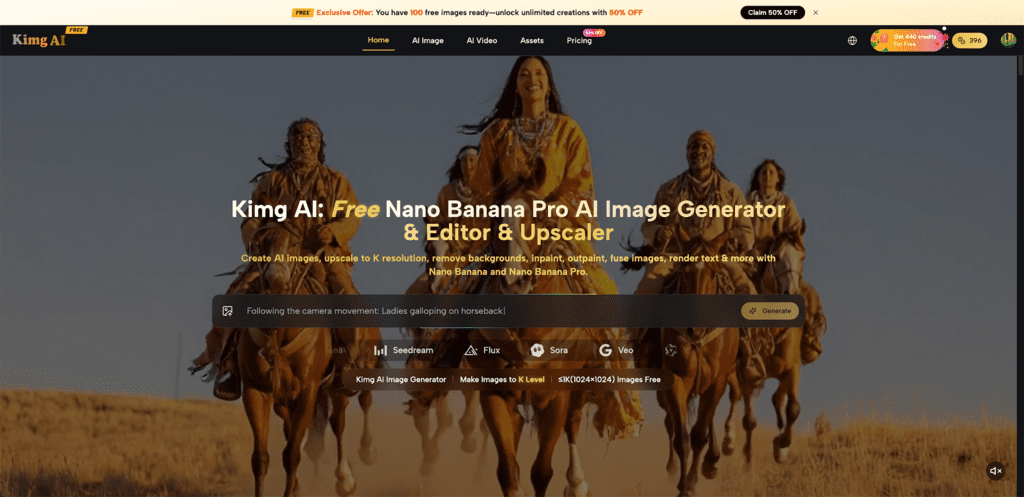
If Pinterest traffic is on your blog’s to-do list but creating consistent, eye-catching visuals feels like a grind, Kimg AI is worth your full attention. Kimg AI removes the bottleneck between a good idea and a publish-ready pin — no design degree required.
I. Why Pinterest Still Drives Real Blog Traffic
Pinterest isn’t just a mood board app. It functions more like a visual search engine, where the right image can keep sending traffic to a post for months — even years — after it’s published.
- Search intent is high: People come to Pinterest specifically looking for ideas, solutions, and inspiration — which maps perfectly to blog content.
- Long content lifespan: Unlike social feeds that bury posts within hours, a well-optimized Pin can resurface repeatedly in search results over time.
- Visual quality is the gatekeeper: Pinterest’s algorithm rewards saves, clicks, and engagement — and all of that starts with how the image looks in the feed.
II. What Makes a Pin Go Viral
Not every pretty picture goes viral on Pinterest. There’s a specific combination of factors that separates pins that get saved hundreds of times from those that disappear.
- Vertical format dominates: The standard 2:3 ratio (1000×1500px) takes up more screen space and naturally draws more attention while scrolling.
- Bold, readable text overlays: Pins that explain the value upfront — like “5 Easy Weeknight Dinners” — perform better because users instantly understand what they’re clicking into.
- Strong visual contrast: High-contrast colors and sharp focus make an image pop, especially on mobile screens where most Pinterest browsing happens.
- Consistency in style: When all your pins share a recognizable aesthetic, followers start to recognize your brand before they even read your name.
III. How Kimg AI Makes Pin Creation Effortless
Kimg AI is built around a multi-model image generation and transformation workflow. It doesn’t lock you into one style or one output — it gives you an entire toolkit.
- Multiple AI models in one place: From Nano Banana’s hyper-realistic rendering to Seedream’s rapid-fire generation speed, Kimg AI lets you match the right tool to the right task without switching between apps.
- Upload up to 8 reference images: For bloggers who already have a visual identity, this is a game-changer. Feed the platform your existing photos, brand colors, or style references and generate pins that stay on-brand every single time.
- 4K output quality: Every pin generated through Kimg AI can be produced at up to 4K resolution — sharp enough for any screen, clean enough for print if needed.
- Full commercial usage rights: All content created with Kimg AI comes with commercial licensing, so there are no restrictions on using your generated pins for monetized blogs or affiliate content.
IV. Nano Banana Pro AI: The Model Built for Visual Perfection
For bloggers who need their pins to look genuinely professional — not just “good for AI” — the Nano Banana Pro AI model is the standout choice on Kimg AI.
- Hyper-accurate micro-detail: Whether it’s the texture of a linen tablecloth for a home decor blog or the crisp edge of a typographic overlay for a finance post, Nano Banana Pro captures it.
- Cinema-grade color depth: Colors are calibrated with an extraordinary dynamic range — pins look vivid and polished rather than flat or oversaturated.
- Flawless prompt execution: Complex descriptions like “sun-drenched flat lay of a coffee mug, open journal, and autumn leaves, golden hour lighting, 4K” are interpreted with high precision by Nano Banana Pro.
- Consistent output across a content batch: When producing 10-20 pins for a single blog post series, Nano Banana Pro maintains visual coherence so your profile doesn’t look scattered.
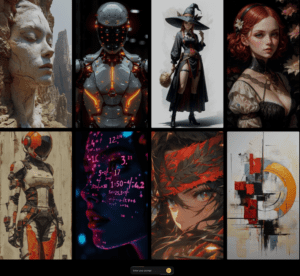
V. Step-by-Step: Creating Blog Pins with Kimg AI
Here’s a practical workflow any blogger can follow to start producing scroll-stopping Pinterest content with Kimg AI.
1. Define your pin concept
Before opening the tool, get clear on what the pin should communicate — the blog post topic, the target reader’s emotion, and the one thing that should make them stop scrolling.
2. Write a structured prompt
A good prompt includes the subject, mood, lighting style, composition, and resolution. Example: “Flat lay of an open recipe book with fresh herbs and a steaming bowl of soup, warm kitchen lighting, rustic wood texture background, 4K.”
3. Upload reference images (up to 8)
If you have an existing blog aesthetic, upload sample images to guide the output. Kimg AI uses these references to maintain style consistency without you having to manually tweak settings.
4. Select the Nano Banana Pro model
For Pinterest-quality visuals, choose Nano Banana Pro from the model menu. It delivers the detail and color accuracy that makes pins look professional rather than AI-generated.
5. Generate and compare
Kimg AI lets you run multiple models simultaneously. Generate the same prompt with Nano Banana Pro and another model, then pick the output that best fits your needs.
6. Download in 4K and add text overlays
Export your 4K image and bring it into a design tool to add a text overlay, logo, or call-to-action before posting.
VI. Practical Tips for Pinterest SEO with AI Images
Generating a beautiful image is only half the job. For that image to actually drive traffic, the SEO side has to be right too.
- File name matters: Before uploading to Pinterest, rename the image file using your target keyword (e.g., easy-weeknight-dinners-recipe.jpg). It’s a small step that Pinterest’s search index picks up.
- Write keyword-rich Pin descriptions: Think of the Pin description as a mini blog post — include the main keyword naturally in the first sentence, and add a few related terms throughout.
- Use board SEO: Place pins into boards with keyword-optimized titles and descriptions. A board called “Quick Dinner Recipes for Busy Families” will rank better than one called “Food Ideas.”
- Pin consistently, not frantically: Posting 5 quality pins per day over several weeks outperforms dumping 50 pins in one day. Kimg AI’s fast generation makes it easy to maintain a steady schedule.
- Test vertical vs. square: While 2:3 is the Pinterest standard, square pins occasionally outperform for certain niches. Generate both formats from a single prompt and A/B test them.
Conclusion
The gap between a blog post that gets ignored and one that consistently pulls traffic from Pinterest often comes down to the quality and consistency of its images. Kimg AI closes that gap by putting professional-grade generation tools — including the powerful Nano Banana Pro — into a workflow that doesn’t require any design expertise. Start with one blog post, generate five pin variations, and see what lands. The visual side of Pinterest marketing no longer needs to be the slowest part of your content process — it can actually become your competitive edge.