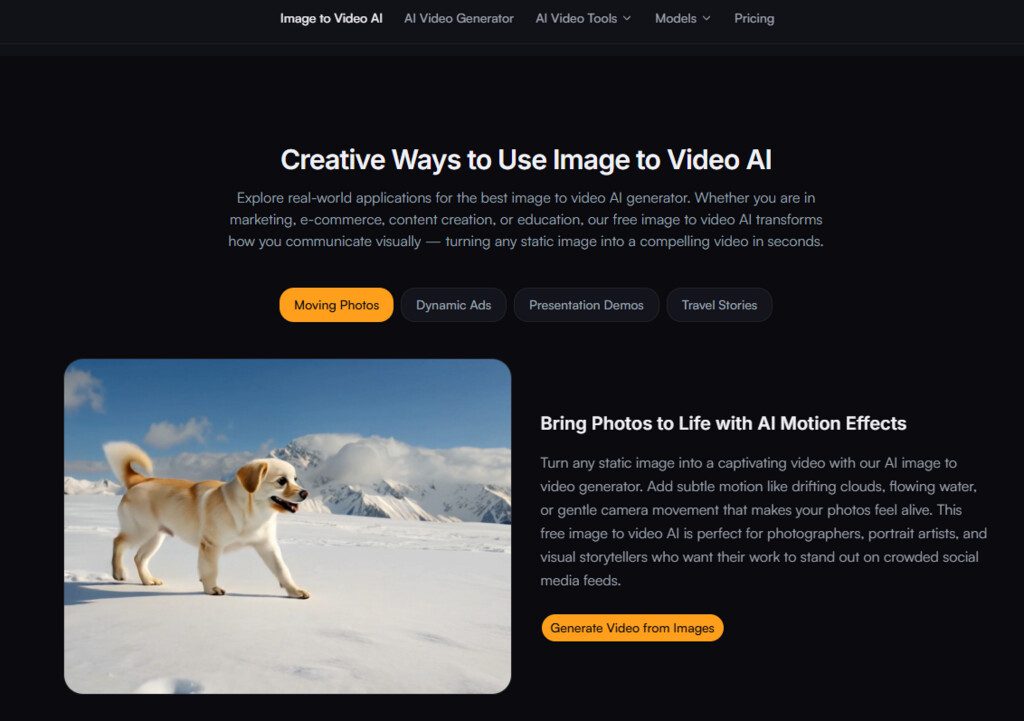
The gap between a compelling still photograph and a video that holds attention has never been wider. Social media algorithms reward motion. Product pages convert better with movement. Real estate listings with video previews see longer dwell times. Yet for most creators, marketers, and small business owners, the path from a single image to a professional-looking video has historically meant learning complex editing software, hiring freelancers, or settling for template-based slideshows that feel generic.
Over the past year, a wave of image to video ai tools has promised to close that gap — but promises are cheap, and actual results vary wildly. I spent several days testing one of the more accessible platforms in this space, putting its core claims under practical pressure across real-world creative tasks. What I found was a tool that does exactly what it says on the box, with a few important nuances worth understanding before you commit any serious creative work to it.
The 2026 Landscape for Image-to-Video Tools: Why This Moment Matters
The image-to-video category has matured rapidly. Early iterations produced jittery, hallucination-prone clips where faces warped and backgrounds melted. Today’s better engines understand depth, object persistence, and natural motion cues with considerably more sophistication. The competitive pressure is intense — major AI labs have released video generation models, and a crowded field of independent tools competes on speed, quality, and price. What makes this particular moment interesting is the emergence of genuinely usable free tiers that don’t feel like crippled demos. When a tool offers daily free generations with no credit card required and output that rivals some paid alternatives, it’s worth investigating whether the trade-offs are manageable or deal-breaking.
Testing Framework: How I Evaluated the Platform
Rather than treating this like a specifications sheet, I approached it as a working creative would. I ran three distinct test categories: social media content from lifestyle photos, product animations for e-commerce, and cinematic-style reels from travel imagery. Each test involved uploading source images, writing prompts, generating clips, and evaluating the results against a consistent set of criteria: motion naturalness, subject consistency, prompt adherence, output resolution, and overall usability. I also tracked generation speed, ease of revision, and the practical impact of the free tier limitations.
The Three-Step Workflow: What Actually Happens When You Generate
The platform advertises a straightforward three-step process, and in practice, it delivers exactly that with minimal friction.
Step 1: Upload and Frame Your Source Image
Drag-and-Drop Meets Real-World File Handling
The upload interface accepts JPG, PNG, and WEBP formats up to 20MB. In testing, this covered virtually every image I threw at it — from high-resolution DSLR exports to compressed web graphics. Before generation begins, the tool allows cropping and framing to your desired aspect ratio. This is a small but meaningful detail: it means you can compose the shot specifically for the video output rather than hoping the AI guesses your intended framing. The drag-and-drop interaction is responsive, and the upload process completed in under two seconds for files under 10MB.
Step 2: Write the Motion Prompt
How Specificity Shapes the Output
This is where the quality of your result lives or dies. The platform accepts descriptive text prompts that guide the AI’s understanding of how the image should move. Keywords like “slow zoom in,” “gentle sway,” “flowing water,” or “wind blowing through trees” all produced distinctly different results in my testing. The engine uses both the visual content of the image and the written instructions together, which means the prompt isn’t just an afterthought — it’s a primary control mechanism.
A vague prompt like “make it move” yielded generic, sometimes awkward motion. A specific prompt like “slow camera push forward with light cloud movement in the background” produced noticeably more intentional and cinematic results. The platform’s guidance here is accurate: the more specific your prompt, the better your result tends to be.
Step 3: Generate and Download
Speed and Output Quality Under Real Conditions
Generation times consistently fell within the “seconds” range claimed on the site. Most clips rendered in 8 to 15 seconds, with occasional longer waits during peak usage periods. The output resolution is capped at 1080p, which is sufficient for social media, web embeds, and even some presentation contexts. The free tier includes a small watermark — visible but not obtrusive — and removing it requires upgrading to a paid plan. In my testing, the watermark appeared consistently on free outputs, and the paid upgrade path was clearly presented without aggressive upselling.
Putting It to Work: Real Scenarios, Real Results
Social Media Clips from Lifestyle Photography
For creators who need to turn travel photos, portrait shots, or behind-the-scenes stills into engaging social media content, this tool offers a practical shortcut. I tested it with a landscape photo featuring a lake and distant mountains. The prompt “gentle water ripples with slow camera pan across the scene” produced a clip where the water moved convincingly, the mountains remained stable, and the overall composition felt cinematic rather than gimmicky.
The motion was smooth at 1080p, and the clip exported cleanly for Instagram Reels. The limitation: complex scenes with multiple foreground elements sometimes produced minor artifacts around edges, and the AI occasionally misinterpreted depth cues, resulting in motion that felt slightly off. For simple to moderately complex images, the results were consistently usable.
Product Animations for E-Commerce
This is where the tool showed its strongest practical value. I uploaded a product photo of a ceramic mug on a wooden table. The prompt “slow rotation with soft shadow movement” generated a clip that gave the product a subtle three-dimensional feel without distorting the brand colors or label text. For e-commerce merchants who want to add video previews to product pages without hiring a video editor, this workflow is genuinely efficient. The platform’s claim that animated product photos can increase engagement aligns with what I observed — the motion added visual interest without overwhelming the product itself.
The trade-off: the AI does not generate true 360-degree rotation; the motion is more of a gentle pan or push rather than a full object turn. For many product categories, this is sufficient, but for items that benefit from full rotation, you would need additional passes or a different approach.
Cinematic Reels from Travel and Lifestyle Images
Travel content creators will find the most creative mileage here. I tested a street photography image with strong leading lines and architectural detail. The prompt “slow dolly zoom with atmospheric haze” produced a clip that felt intentionally directed rather than randomly animated. The depth mapping was convincing enough that the clip could pass for a carefully edited video pan.
The platform’s ability to interpret descriptive language like “dreamy” or “cinematic” translated into actual visual characteristics — softer motion curves, slower pacing, and more deliberate framing. The downside: the AI does not consistently preserve fine details like text on signs or facial expressions in portraits. If your image contains critical small text or recognizable faces that need to remain sharp, the results may vary, and multiple generations may be needed to get a clean version.
Free Tier vs. Paid Upgrade: What You Actually Get
| Aspect | Free Tier | Paid Tier (as described) |
| Daily generations | 10 videos per day | Unlimited (priority access) |
| Output resolution | Up to 1080p | Higher resolutions available |
| Watermark | Small watermark present | No watermark |
| AI model access | Standard model | Premium AI models |
| Processing priority | Standard queue | Priority access |
The free tier is generous enough for casual creators and those testing the tool’s fit for their workflow. Ten daily generations provide ample room for experimentation, prompt refinement, and multiple attempts on challenging images. The watermark is present but not distracting — it sits in a corner and does not obscure the main subject. For professional use where branding or clean output is essential, the paid upgrade removes the watermark and unlocks priority processing, which can be valuable during high-volume production periods.
Where the Tool Excels and Where It Falls Short
Strengths Observed in Testing
The platform’s biggest advantage is its accessibility. The three-step workflow requires no prior video editing experience, and the learning curve is measured in minutes rather than hours. Generation speed is genuinely fast, and the output quality at 1080p is clean enough for most digital distribution channels. The prompt-based control system gives users meaningful creative input without requiring technical knowledge of animation or cinematography. For creators who need to produce video content at scale from existing image libraries, this tool removes a significant bottleneck.
Limitations Worth Knowing Before You Start
The tool is not a magic wand. Prompt quality heavily influences results — vague or poorly structured prompts produce mediocre motion. Complex images with multiple subjects, intricate backgrounds, or fine text may require multiple generation attempts to achieve a satisfactory result. The AI’s understanding of physics and depth is impressive but not infallible; occasional artifacts, edge warping, or unnatural motion patterns do appear, particularly on challenging source material.
The platform does not offer fine-grained control over motion parameters like speed, direction, or intensity beyond what the text prompt can convey. For users who need precise, frame-by-frame control over animation, this tool will feel limiting. For users who need good-enough results quickly, it performs admirably.
Who This Tool Fits Best
From a practical user perspective, this image-to-video generator is most valuable for social media managers producing daily content, e-commerce operators adding motion to product catalogs, real estate agents creating listing previews, and beginner creators who want professional-looking results without learning professional tools. It is less suited for professional video editors who require granular control, or for projects where absolute visual fidelity and artifact-free output are non-negotiable. The platform occupies a useful middle ground — more sophisticated than template-based slideshow tools, more accessible than full-featured video editing suites.
The Verdict: A Practical Tool with Clear Trade-Offs
After running multiple test scenarios across different image types and prompt styles, the conclusion is straightforward: this ai image to video tool does what it promises, within clearly defined boundaries. It transforms static images into dynamic clips quickly, offers meaningful creative control through text prompts, and delivers clean 1080p output that works for social media, web, and presentation contexts. The free tier provides genuine utility without requiring a credit card, and the paid upgrade path addresses the main limitations — watermark removal and priority access.
The results are not perfect every time, and the tool’s effectiveness depends heavily on the quality of your source image and the specificity of your prompt. But for the vast majority of everyday creative tasks, it offers a practical, time-efficient solution that bridges the gap between still photography and video content. If your workflow involves converting images into video at any kind of volume, this platform is worth integrating into your toolkit — just go in with realistic expectations and a willingness to refine your prompts.