
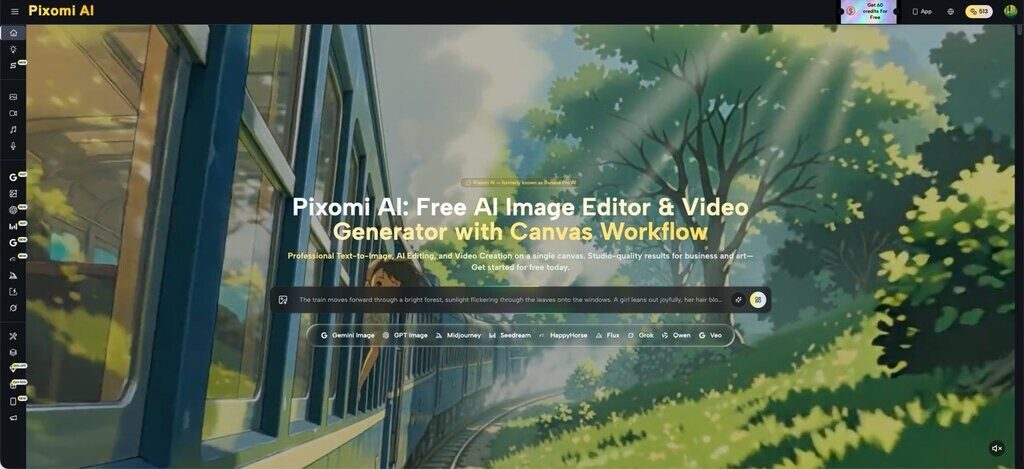
Somewhere between the fifth regenerate and the fiftieth prompt tweak, most creators start blaming the words. They swap adjectives, add camera specs, throw in “4K” and “cinematic lighting” hoping the next attempt lands. But the output still looks slightly wrong — the lighting flat, the composition off, the brand tone missing. Here’s the part most people miss: the wording was never really the problem. The workflow around it was. Tools like Banana Pro AI show what happens when the entire creative pipeline gets rebuilt around how visual work actually gets done — not just around clever phrasing.
I. Start With Structure, Not Sentences
Before touching another prompt, it helps to separate what should stay fixed from what should change. A single garbled instruction trying to control style, subject, background, and framing all at once is the most common reason results feel inconsistent from one generation to the next.
- Separate the anchor from the variable
Every image has a part that must stay stable — a product shape, a face, a brand color — and a part that can shift, like the backdrop or mood. Keeping these two elements distinct, rather than folding them into one long instruction, produces noticeably more predictable output.
- Choose the right generation mode
Image to Image and Text to Image solve different problems. Uploading a reference photo and asking for a transformation works better for preserving structure, while describing a scene from scratch works better for original concepts. Mixing the two use cases into a single prompt often causes the model to compromise on both.
II. Build a Pipeline Instead of a Single Prompt
A one-shot prompt asks a lot from a single instruction. A pipeline breaks the same task into stages, and each stage does one job well.
- Draft, then refine
Generating a rough version first and refining it afterward tends to outperform trying to nail every detail in one attempt. On Banana Pro AI, this looks like producing an initial Text to Image draft, then feeding that result back through Image to Image to adjust lighting, composition, or style without starting over.
- Use batch generation to compare, not just to pick favorites
Requesting several variations from one prompt isn’t only about picking a winner — it reveals which parts of a description the model consistently misreads. Patterns across batches point to what needs rewording far more clearly than a single output ever could.
- Chain steps instead of repeating them manually
A workflow built as a chain — draft, edit, style, export — removes the repetitive re-uploading and re-describing that eats up time. Banana Pro AI’s canvas-based workflow lets an image generation node connect directly into an editing node, and from there into a video generation node, so each stage feeds the next without manual handoffs.
III. Match the Tool to the Task, Not the Task to the Tool
Many disappointing results come from using one model for every job, regardless of what that job actually needs. Photorealistic product shots, stylized illustrations, and short animated clips call for different strengths, and forcing all three through the same settings rarely serves any of them well.

- Pick style intentionally, not by trial and error
Rather than repeatedly nudging a prompt toward a look, applying a style preset directly and adjusting its intensity gets to the intended aesthetic faster. Banana Pro AI includes a library of presets — photorealistic, anime, cinematic, watercolor, and others — built specifically so style doesn’t have to be described from scratch every time.
- Treat video as a downstream step, not a separate project
Turning a still image into motion works best when the image was already approved as the anchor. Banana Pro AI supports multiple video models, including Veo 3 and Seedance, so a finished image can move into Image to Video generation without re-explaining the subject, framing, or style in a new tool.
IV. Protect the Output You Already Approved
A workflow without memory forces every session to start over, which wastes both time and consistency. Losing track of which prompt produced which result is one of the fastest ways to lose brand cohesion across a project.
- Keep a working library, not scattered files
Saving prompts alongside their outputs — automatically, not manually — makes it possible to return to a successful generation and adjust it instead of reconstructing it from memory. Banana Pro AI’s asset library tracks prompts and versions so earlier work stays reusable rather than disposable.
- Lock in commercial-ready output early
Confirming resolution and usage rights before a project scales avoids rework later. Banana Pro AI generates images up to high resolution with full commercial usage rights included, which matters for anyone producing marketing assets, product visuals, or client deliverables that need to move straight into publication.
V. Table: Prompt-Only vs. Redesigned Workflow
| Approach | Prompt-Only Method | Redesigned Workflow |
| Consistency across images | Varies with each attempt | Anchored by fixed reference and preset styles |
| Time per project | High, due to repeated trial and error | Lower, due to draft-then-refine chaining |
| Handling video | Treated as a separate task | Built as the next step from an approved image |
| Reuse of past work | Rebuilt from scratch each time | Pulled from a saved asset library |
| Commercial readiness | Checked after generation | Confirmed as part of the initial setup |
The real reason so many results fall short isn’t a missing adjective — it’s a missing structure. Better images rarely come from a single perfect sentence; they come from a sequence — anchor, draft, refine, style, export — that respects how visual work is actually produced, one deliberate stage at a time. A workflow built this way turns AI image generation from a guessing game into a repeatable process, and that shift matters more for long-term output quality than any prompt trick ever will. Anyone still chasing better results one word at a time might find more progress in rethinking the sequence itself, starting with Banana Pro AI.