
How to Quickly Create Game Sound Effects with InsMelo
Sound design plays a critical role in modern game development. From footsteps and ambient noise to weapon effects and UI interactions, sound effects shape how players experience a game. However, creating high-quality audio assets traditionally requires time, expertise, and access to sound libraries or recording equipment.
With AI tools, this process is changing. Platforms like InsMelo now allow developers and creators to generate custom sound effects instantly using simple text prompts. If you’re looking for a faster way to produce game audio, here’s a practical guide on how to do it using InsMelo.
Why Use AI for Game Sound Effects?
Before diving into the steps, it’s worth understanding why AI-generated sound effects are becoming popular. Game developers—especially indie creators—often face limitations in time and budget. AI tools help address this by:
- Reducing reliance on pre-made sound libraries
- Allowing instant customization of audio assets
- Speeding up the prototyping process
- Enabling rapid iteration and experimentation
Using an AI music generator like InsMelo, creators can go beyond music and generate precise sound effects tailored to specific in-game actions.
Step 1: Define the Sound You Need
The first step in creating a game sound effect is to clearly describe what you want. InsMelo’s system works by interpreting text prompts, so the more specific your description, the better the output.
For example:
- “A futuristic laser blast, sharp and metallic”
- “Soft footsteps on grass with ambient wind”
- “UI click sound, minimal and digital”
This step is similar to briefing a sound designer. Instead of manually designing audio, you’re guiding the AI with descriptive language.
Step 2: Enter Your Prompt in InsMelo
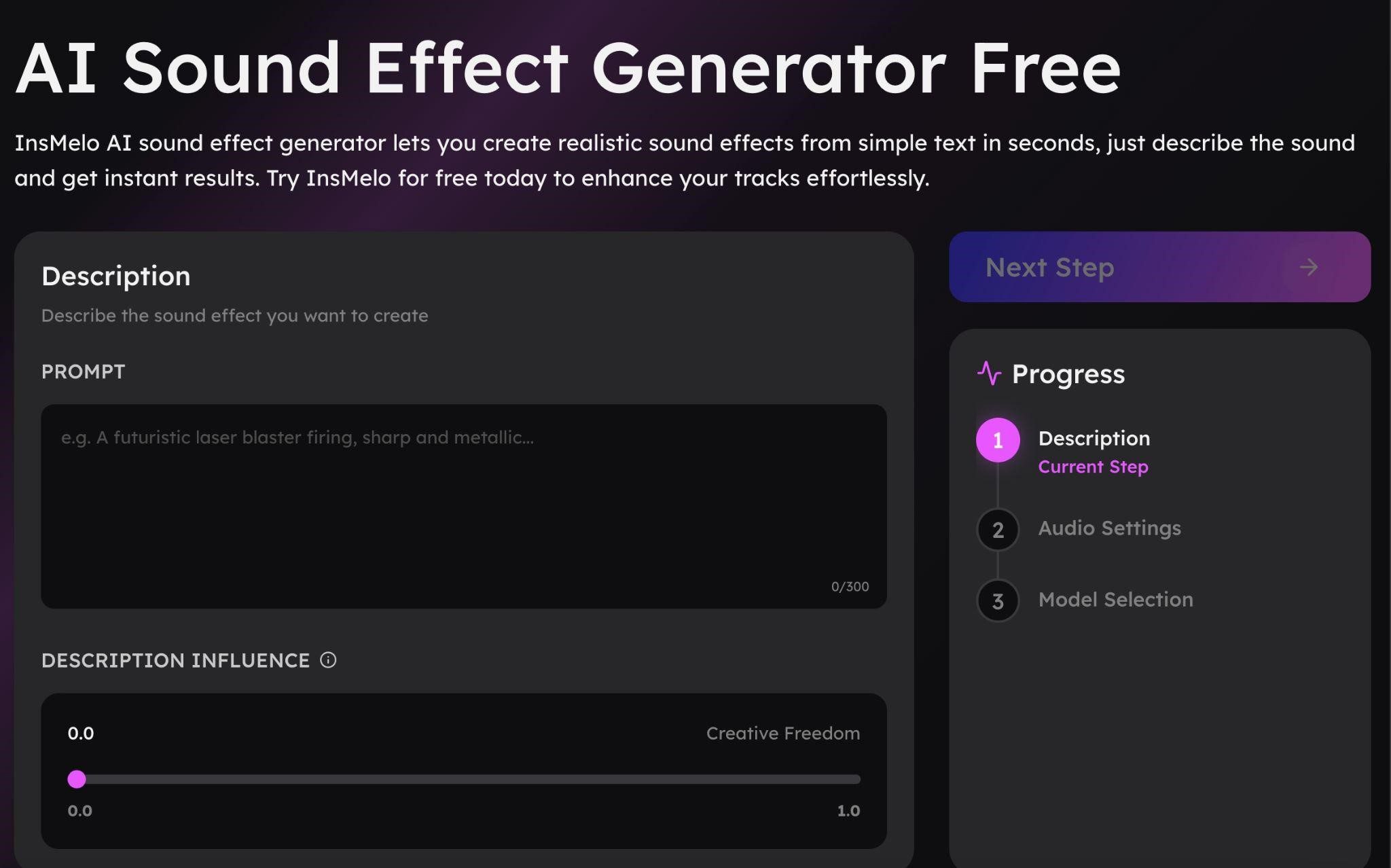
Once you have your idea, go to the AI sound effect generator inside InsMelo. You’ll see a prompt box where you can input your description.
The interface is designed to be simple:
- Enter your sound description
- Adjust influence or creativity level (if available)
- Prepare for generation
This streamlined setup removes the need for complex audio tools, making it accessible even for beginners.
Step 3: Adjust Sound Parameters
InsMelo provides controls that influence how closely the generated sound follows your description. For example, you can adjust how “creative” or “accurate” the output should be.
- Lower values may give more experimental results
- Higher values produce more precise, prompt-based sounds
This flexibility allows developers to fine-tune results depending on whether they want something realistic or more stylized.
Step 4: Generate and Preview
After entering your prompt and adjusting settings, you can generate the sound effect. The AI processes your request and produces an audio output within seconds.
At this stage, you can:
- Preview the sound
- Compare variations
- Regenerate if needed
This instant feedback loop is one of the biggest advantages of AI tools. Instead of spending hours editing audio, you can test multiple ideas quickly.
Step 5: Download and Integrate into Your Game
Once you’re satisfied with the result, you can download the sound file and integrate it into your game engine. InsMelo typically supports common formats like WAV or MP3, making it compatible with most development platforms such as Unity or Unreal Engine.
You can now assign the sound effect to:
- Character actions (jumping, walking, attacking)
- Environmental elements (wind, water, background ambiance)
- UI interactions (clicks, notifications)
Tips for Better Game Audio
To get the most out of InsMelo, keep these tips in mind:
- Be descriptive: Detailed prompts lead to better results
- Test variations: Generate multiple versions to find the best fit
- Match your game style: Keep consistency in tone and atmosphere
- Layer sounds if needed: Combine multiple effects for richer audio
These small improvements can significantly enhance the overall player experience.
Why InsMelo Works Well for Game Developers
InsMelo stands out because it simplifies a traditionally complex process. Instead of relying on pre-recorded libraries or manual sound design, developers can create custom audio on demand.
Key advantages include:
- Fast generation of unique sound effects
- No need for advanced audio editing skills
- Flexible prompt-based customization
- Integration with broader AI audio tools (music, voice, covers)
For indie developers and small teams, this can be especially valuable, as it reduces both cost and production time.
Final Thoughts
Creating game sound effects no longer needs to be a time-consuming or technical process. With AI tools like InsMelo, developers can generate custom audio assets in minutes using simple text descriptions.
By following a clear workflow—defining your sound, entering a prompt, adjusting settings, and generating results—you can quickly build a library of unique sound effects tailored to your game.
As AI continues to evolve, tools like InsMelo are making it easier for creators to focus on gameplay and creativity, while automation handles the technical side of sound design.