
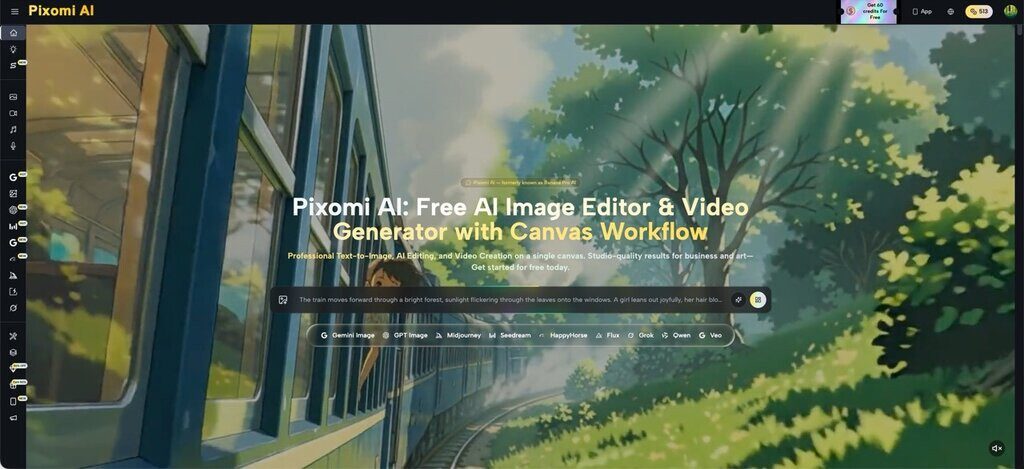
Social media managers know the pain of endless revision loops when a brand mascot or campaign character looks slightly different in every new post. A client approves one version, then asks for five more variations, and by round three the character’s face, outfit, or color palette has drifted noticeably. This kind of inconsistency erodes brand trust and burns through review cycles that should have ended weeks ago. Banana Pro AI inside Pixomi AI’s AI Image Generation feature was built to reduce exactly this friction, giving social teams a faster way to lock in a look and repeat it across an entire campaign.
What Is AI Image Generation?
AI Image Generation is Pixomi AI’s core feature for turning text prompts or existing photos into new visuals, covering both text-to-image creation and Image to Image transformation. For social media operators, this means a single character concept, outfit, or product mockup can be regenerated in different poses, backgrounds, or formats without starting from scratch each time. The feature sits at the center of Pixomi AI, feeding into campaign graphics, product shots, and platform-specific content variations.
Traditional Challenges of AI Image Generation
Before AI-assisted workflows, teams producing consistent campaign visuals ran into several recurring problems:
- Hiring illustrators or photographers for every new pose or scene, which is slow and costly
- Style drift between assets when different designers work on the same character
- Long feedback loops as clients request small tweaks to lighting, expression, or wardrobe
- Difficulty scaling a single approved look across dozens of social formats
- Limited ability to quickly test variations before committing budget to final production
These bottlenecks push marketing and design teams toward AI solutions that can hold a visual concept steady while still generating fresh compositions on demand. An AI Image Editor that supports iterative, targeted changes helps close the gap between one approved reference image and the many campaign-ready assets a social calendar actually requires.
How Pixomi AI Handles AI Image Generation
Banana Pro Model
Banana Pro is positioned as Pixomi AI’s flagship model, offering 4K output, strong prompt comprehension, and a wide range of artistic styles from photorealistic to abstract. Its detail-focused rendering makes it a practical starting point for establishing a character’s core look before that reference is reused throughout a campaign.
Image to Image Transformation
Image to Image mode lets users upload an existing photo or approved character render and apply style transfer, background changes, or targeted edits. This is the mechanism social teams rely on most for consistency, since it builds new scenes from an existing visual reference rather than generating an unrelated image each time.
Multiple AI Models in One Workspace
Beyond Banana Pro, the platform includes Z-Image Turbo for rapid iteration, Flux Kontext for scene coherence, GPT-4o Vision for conversational refinement, and Qwen Image Edit for precise technical detail. Switching between models lets a social media operator prioritize speed for quick drafts or fidelity for final campaign assets, without leaving the same AI Image Generator interface.
Output & Usage – Ready for Real Content
Generated images download in high-resolution PNG format, in square, portrait, landscape, or custom aspect ratios, without watermarks on free accounts. Free accounts include commercial usage rights, so campaign visuals, social graphics, and client deliverables can be used in marketing materials, product listings, and advertising without extra licensing steps.
Step-by-Step Workflow
Step 1 – Prepare Input
Start with a clear text description of the character or product, or an existing approved image if the goal is refining an established look. Specific details about outfit, pose, and setting in the prompt help the model stay closer to the intended reference when generating new scenes.
Step 2 – Configure Settings
Choose a creative path in Banana Pro AI, either generating from scratch or uploading a photo for Image to Image transformation, then select an AI model, aspect ratio, and style intensity. Smart AI suggestions are available to help fine-tune these settings before generation, which is useful when trying to match a previously approved character across new campaign assets.
Step 3 – Generate & Export
Generation typically completes in 5–10 seconds, with Z-Image Turbo producing results in as little as 3–5 seconds for faster iteration. Users can preview the output, regenerate with adjustments if the character or scene needs tweaking, and download the final image for reuse across ads, social posts, or other campaign materials under the platform’s free commercial usage terms.
Use Cases for Social Media Operators
- Campaign Character Continuity — A social media manager reuses one approved character reference through Image to Image mode to keep a mascot or spokesperson visually consistent across weekly posts.
- Multi-Platform Content Variations — A content scheduler generates platform-specific crops and styles from a single base image, keeping brand identity intact across Instagram, TikTok, and Pinterest.
- Rapid Client Approval Cycles — A marketing coordinator produces several style options quickly with the AI Image Generator, cutting down the back-and-forth typical of manual design revisions.
- Product Visual Refresh — An e-commerce social lead updates product shots with new backgrounds or lighting using Image to Image, avoiding repeated photoshoots for seasonal campaigns.
FAQ
How does the character consistency workflow actually work? Users start with a base image or detailed prompt, then use Image to Image transformations to apply that same reference across new scenes, poses, or backgrounds. Adjusting style intensity and model choice helps keep the output visually aligned with the original character concept.
Can generated images be used commercially? Free Pixomi AI accounts include commercial usage rights for marketing materials, social content, and client projects, with no watermarks on downloads. As with any AI tool, it’s worth reviewing current platform terms before large-scale commercial rollout.
Which AI models are available for image generation? The feature includes five models: Banana Pro for high-fidelity 4K output, Z-Image Turbo for speed, Flux Kontext for scene coherence, GPT-4o Vision for conversational editing, and Qwen Image Edit for technical precision. All five are accessible on the free tier.
Conclusion
Keeping a character or visual identity consistent across a full campaign is one of the more time-consuming parts of social media production, and AI-assisted image tools narrow that gap by reusing a single reference across many new scenes. Pixomi AI’s approach, combining Image to Image transformation with multiple model options, gives social teams a practical way to reduce revision cycles without sacrificing visual quality.
For teams tired of chasing consistency by hand, testing this AI Image Generation feature on a real campaign asset is a low-risk way to see if it fits an existing workflow.